How to move files from one cloud to another — without downloading them first
Switching clouds? Here's how to copy your files straight from one provider to another without dragging them through your laptop — safely, and without changing your originals.
If you've ever tried to switch cloud storage — a new job, a better price, a provider you trust more — you've probably hit the same wall: the only obvious way to move your files is to download all of them to your computer and re-upload them to the new place. For a few photos that's fine. For 200 GB it means leaving your laptop running for a day or two, watching a progress bar, and praying it doesn't drop halfway.
There's a better way, and most people don't know it exists. Your files can be copied directly from one cloud to the other, on a server, without ever touching your computer. Here's how it works and how to do it safely.
Why downloading and re-uploading is the wrong way
When you download from one cloud and upload to another, every single file travels twice over your home internet — down to your machine, then back up to the new cloud. You're the bottleneck. It's slow, it ties up your computer, and if your connection hiccups partway through a big batch, you're often left guessing what actually made it across.
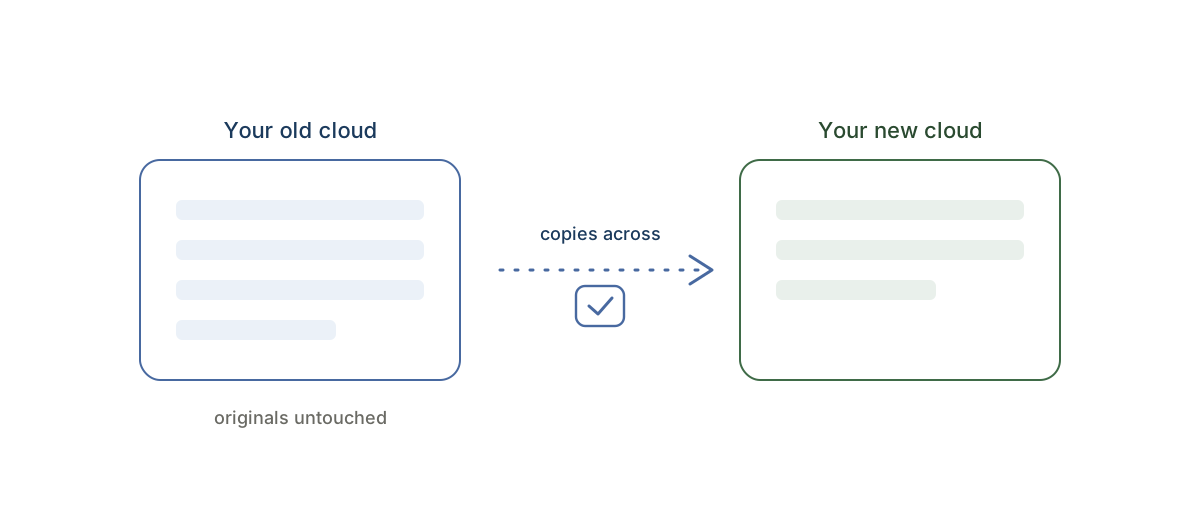
A direct cloud-to-cloud copy skips your computer entirely. The transfer happens server-side, limited only by how fast the two providers talk to each other — not by your laptop or your Wi-Fi.
The safe way to do it
Whatever you use to move clouds, three things separate a calm migration from a stressful one:
It should only ever copy — never touch your originals. This is the big one. You want a tool that reads your old cloud and writes copies to the new one, and never deletes, moves, or renames the files you already have. That way, if anything goes wrong, your originals are right where you left them and you simply run it again. This is the rule CloudRaft is built on — it's copy-only, enforced in the code itself, not just promised.
You should see the plan and the price before anything starts. File count, total size, exact cost — up front, with nothing happening until you confirm. No surprises mid-way.
You should be able to test it first. Move a small folder, check it landed correctly, then trust it with everything.
How to move your files with CloudRaft
CloudRaft copies your files from one cloud to another on our servers, so you don't download a thing.
- Connect your two clouds. Start free and connect the cloud you're leaving (the source) and the one you're moving to (the destination). CloudRaft only ever sees the folders you choose.
- Pick what to move and see the plan. Select your folders. CloudRaft counts the files, totals the size, and shows you the exact price. Nothing copies until you say go.
- Confirm and close your laptop. The copy runs on our servers. Close the tab — we email you when it's done. If it's interrupted, it picks up where it left off and never re-copies what's already there.
It works between Google Drive, Dropbox, OneDrive, Box, and self-hosted clouds like Nextcloud, Synology, and pCloud — any of them to any of them.
What it costs
You can move up to 2 GB free, with no card and no expiry — enough to test it properly on your own files. To move more, you buy a pass: a one-time price for a set amount of data. No subscription, no auto-renew — because switching clouds is a one-time job, not something you should pay for every month. See pricing.
However you move, never delete the source until you've verified everything is in the new cloud. CloudRaft is copy-only — your originals stay put — so you can confirm the destination first, then clean up the old cloud yourself when you're ready.
The short version
You don't have to download and re-upload your whole life to switch clouds. Copy your files directly, server-side, with a tool that never touches your originals and shows you the price first. Want the detail on how we keep your data safe? Read our security page.
Ready for a specific route? The most popular is how to transfer files from OneDrive to Google Drive, and the same three steps cover Box to Dropbox or Dropbox to Google Drive.