Is cloud-to-cloud file transfer safe? What to check before you trust any tool
Thinking about moving files between clouds? Here's what "safe" actually means — copy-only access, no file storage, revocable permissions — plus the checks to run before you trust any migration tool with your data.
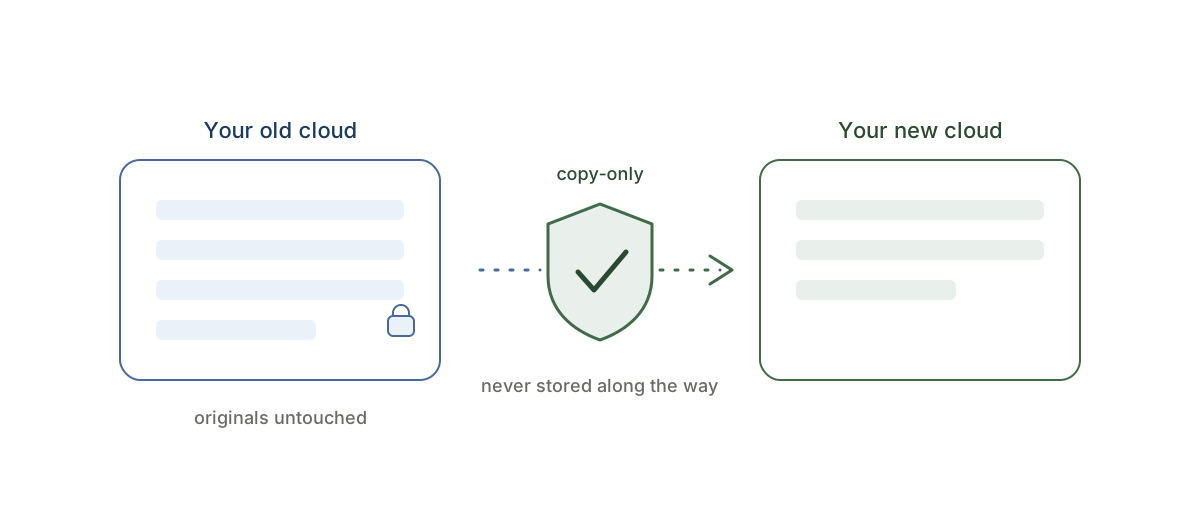
You want to move your files from one cloud to another — and the moment you learn this can be done directly, server to server, a reasonable worry follows: I'm about to give some service access to everything I've stored for years. Is that safe?
It's the right question to ask. The honest answer: cloud-to-cloud transfer can be safer than the DIY alternative — but only if the tool is built the right way. Here's what "the right way" looks like, and the specific checks to run before you click connect.
First: what actually happens when you connect a cloud
You never hand over your password. When you connect Google Drive, Dropbox, OneDrive, or Box to a transfer service, you sign in with the provider directly and grant a scoped permission token (OAuth). The service sees only what that token allows, and — this matters — you can revoke it at any time from your cloud's security settings, instantly cutting off all access.
So the real question isn't "does this service get my password" (it doesn't). It's "what can it do with the access I grant?" That's where tools differ, and where the three checks below come in. For a closer look at the permissions themselves, see what access a transfer tool actually needs.
Check 1: it must be copy-only, so your originals can't be harmed
The single biggest risk in any migration isn't interception — it's a tool that deletes, moves, or "cleans up" your source files, by design or by bug.
CloudRaft is copy-only, enforced in code: it only ever reads from your source cloud and writes copies to the destination. It never deletes, moves, renames, or modifies anything in the source — there is simply no code path that can. Worst case in any failure scenario is that a copy is incomplete and you run it again. Your files exist in both places until you decide to clean up the old cloud yourself, on your own schedule, after you've verified everything arrived.
That one property removes most of what can actually go wrong.
Check 2: your files should never be stored along the way
A transfer service shouldn't become a third copy of your data. With CloudRaft, files stream directly from the source cloud to the destination through EU-hosted servers — encrypted in transit, never written to storage in the middle. When the job finishes, there is no lingering archive of your files sitting on someone else's infrastructure, because none was ever made.
EU hosting also means the transfer runs under GDPR jurisdiction — a meaningful point if your files include anything personal or business-sensitive. The specifics are on our security page.
Check 3: you should see the full plan and price before anything starts
A trustworthy tool shows its work up front. After you pick folders, CloudRaft counts your files, totals the size, and shows the exact one-time price — and nothing copies until you confirm. No subscription quietly starting, no surprise mid-transfer paywall, no "we've begun, now pay to finish." If a service won't tell you what it's about to do and what it costs before it starts, that's your answer. You can check the size and price of your move before signing up at all.
The safest first step: test with files that don't matter
Don't take any tool's word for it — including ours. Run a small real test:
- Copy up to 2 GB free with CloudRaft — no card required, no expiry.
- Pick a real folder and copy it to the new cloud.
- Verify the copies arrived intact, then confirm your originals are exactly where they were, untouched.
- When you're done, revoke the access token from your cloud's security page if you like — you can reconnect anytime.
Ten minutes, zero risk, and you've verified every claim above against your own files instead of a marketing page. Each move has its own step-by-step page — for example OneDrive to Google Drive or Google Drive to Dropbox.
What a copy can't carry (the honest part)
"Safe" also means knowing the limits before you start, not discovering them after:
- Sharing permissions don't transfer. Your files copy across, but share links and invited collaborators stay behind — you'll re-share from the new cloud.
- Version history stays in the source. The current version of each file copies; old revisions remain in your old cloud (which stays fully intact anyway).
- Provider-specific formats may be skipped — CloudRaft tells you exactly what was skipped, so nothing disappears silently.
None of this is dangerous — your source cloud remains exactly as it was — but it's worth knowing so nothing surprises you.
The bottom line
Done right, a cloud-to-cloud transfer is the low-risk way to migrate: your originals can't be touched, your files are never stored in transit, your internet connection and laptop are out of the loop, and access is revocable the moment you're done.